
Virtual Server for Small Business: What You Can Use It For
- Опубліковано: Новини Тернопільщини
- —
- 14 Листопада, 2026 о 15:26
15.11.2026
15:34:13


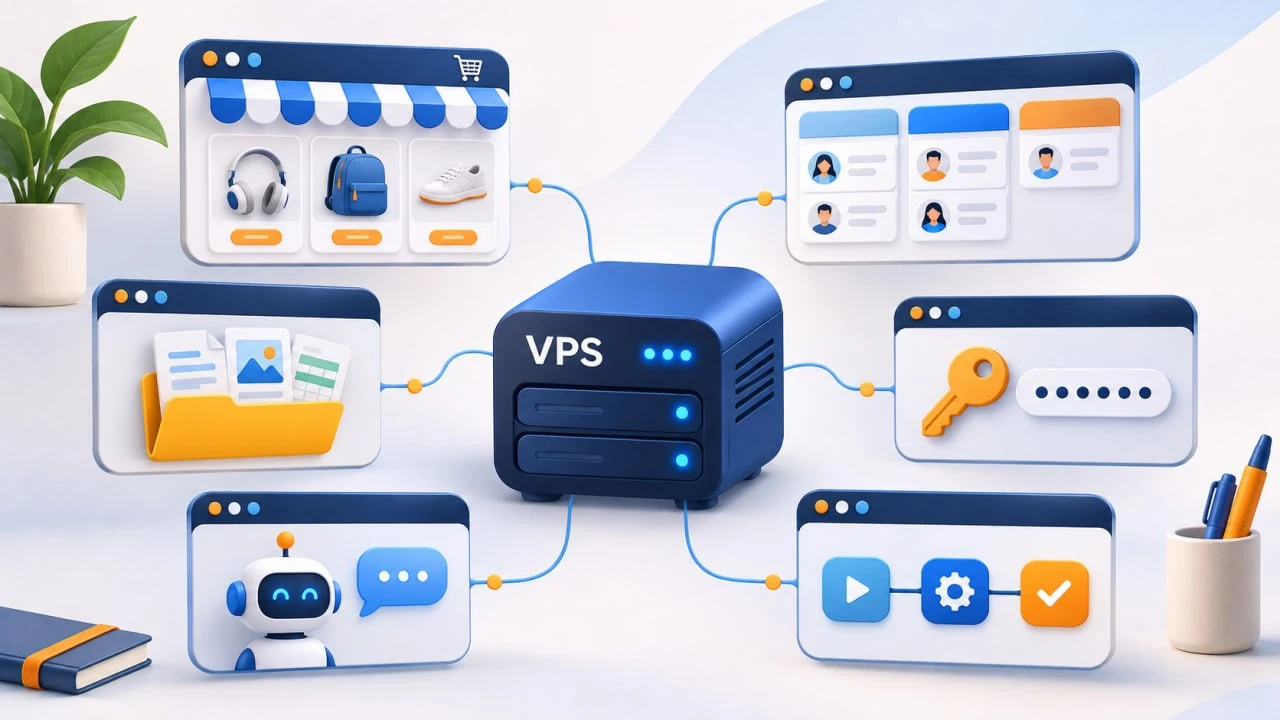
Most small companies run on a website with a regular hosting plan, a dozen subscription-based online services, and an office computer with the programs they use every day. As the team grows, subscription bills rise with every new hire, each service brings its own limits, and the accounting database and work files stay accessible only from that office PC. A VPS server brings all of this together: a machine in a data center with backup power that runs around the clock and handles exactly what you choose to install. Below are the specific tasks small businesses move to such a server, and the order that makes the move easier.
Each familiar option covers only part of the job. Shared hosting works for websites, but programs that need to run nonstop, such as a bot or an automation service, usually can’t be launched there, and settings follow the provider’s rules. Online services are ready to use right away, yet the bill grows with every new user. An office computer costs nothing monthly, but it shuts down at night and is only available in the office.
A VPS combines the strengths of all three:
Full control also means maintenance is in your hands. To add websites, databases, and SSL certificates without the command line, install a free control panel such as Hestia or CloudPanel. Update the system and applications regularly to close newly discovered vulnerabilities. And keep backups separate from the server itself.
The first thing to move to a server is usually everything customers interact with: the website and the services that keep it running. The most common ones are:
Unlike on hosting, you choose the PHP version, caching setup, and extensions yourself instead of adapting to plan limits. Plugin or theme updates are tested on the staging copy first, so visitors never see errors. And the bot runs on the same machine as the store, which saves you a separate subscription to a bot builder.
The second group is the internal software employees use every day. Most popular online services have free alternatives that install on your own server and open in a browser at your company’s address:
The main benefit is that costs stop depending on team size. A new manager gets a CRM or Nextcloud account without paying for an extra seat. And the free self-hosted version of n8n doesn’t limit the number of executions, so automation doesn’t get more expensive as orders grow.
Choose the operating system to match the software: Linux for websites, CRM, Nextcloud, and n8n, Windows for desktop applications. One VPS runs only one operating system, so Linux services and Windows applications go on two separate servers.
A bot or a password manager fits on the smallest plan, while Nextcloud with shared files or Windows Server for several users needs a larger plan with more memory and disk space. When dozens of people work in your systems every day and documents add up to hundreds of gigabytes, the workload moves to a dedicated server whose entire capacity belongs to your business alone.
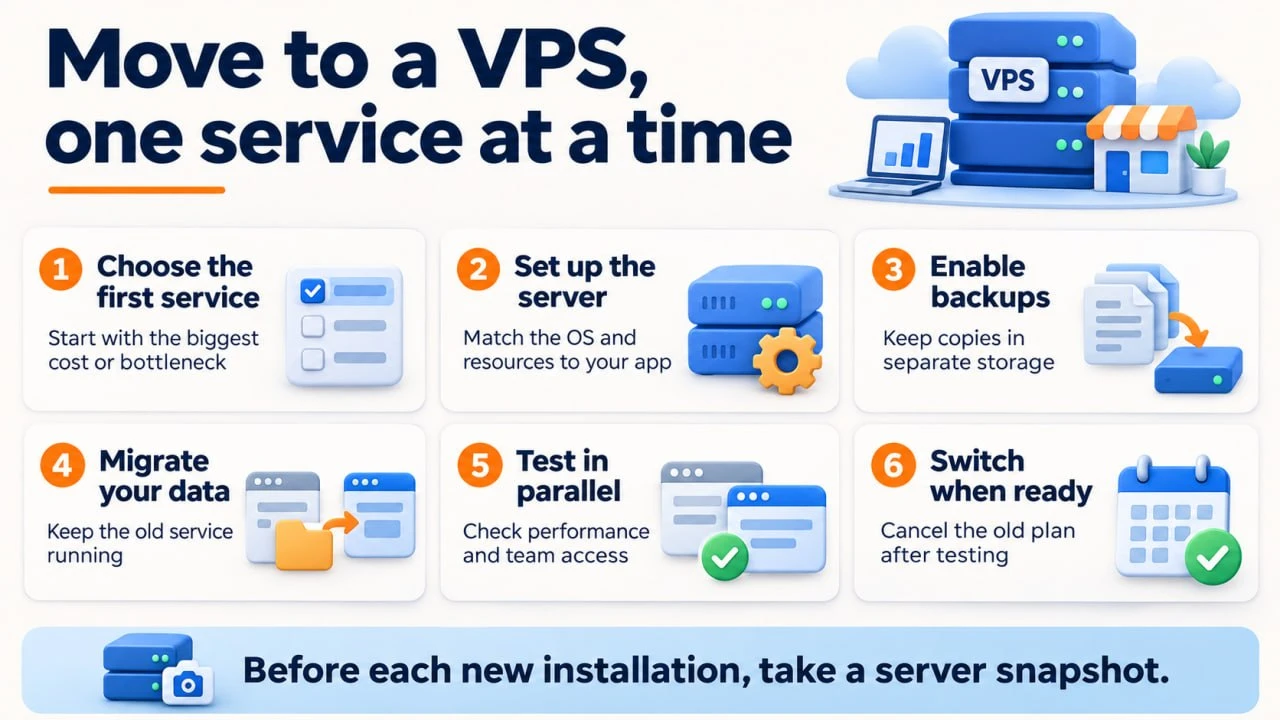
It’s best to move tasks gradually:
Running both in parallel shows whether resources suffice and the team is comfortable before you cancel the subscription. A snapshot rolls the machine back if a new installation breaks something, and backups in separate storage survive even if the server itself fails. Step by step, your website, team tools, and automations come together in one place where you set the rules, not a dozen different services.







09:43, 11 Листопада, 2026

18:20, 7 Листопада, 2026